China Travel Preparation

Essential preparation before your visit to China. Download these must-have apps to stay connected and pay conveniently.

Mobile Payment Apps

Cash is rarely used in China — mobile payment is everywhere. Set up these apps before you arrive.
A
Alipay (支付宝) App Store / Google Play
W
WeChat (微信) App Store / Google Play

Alipay Setup Guide

1
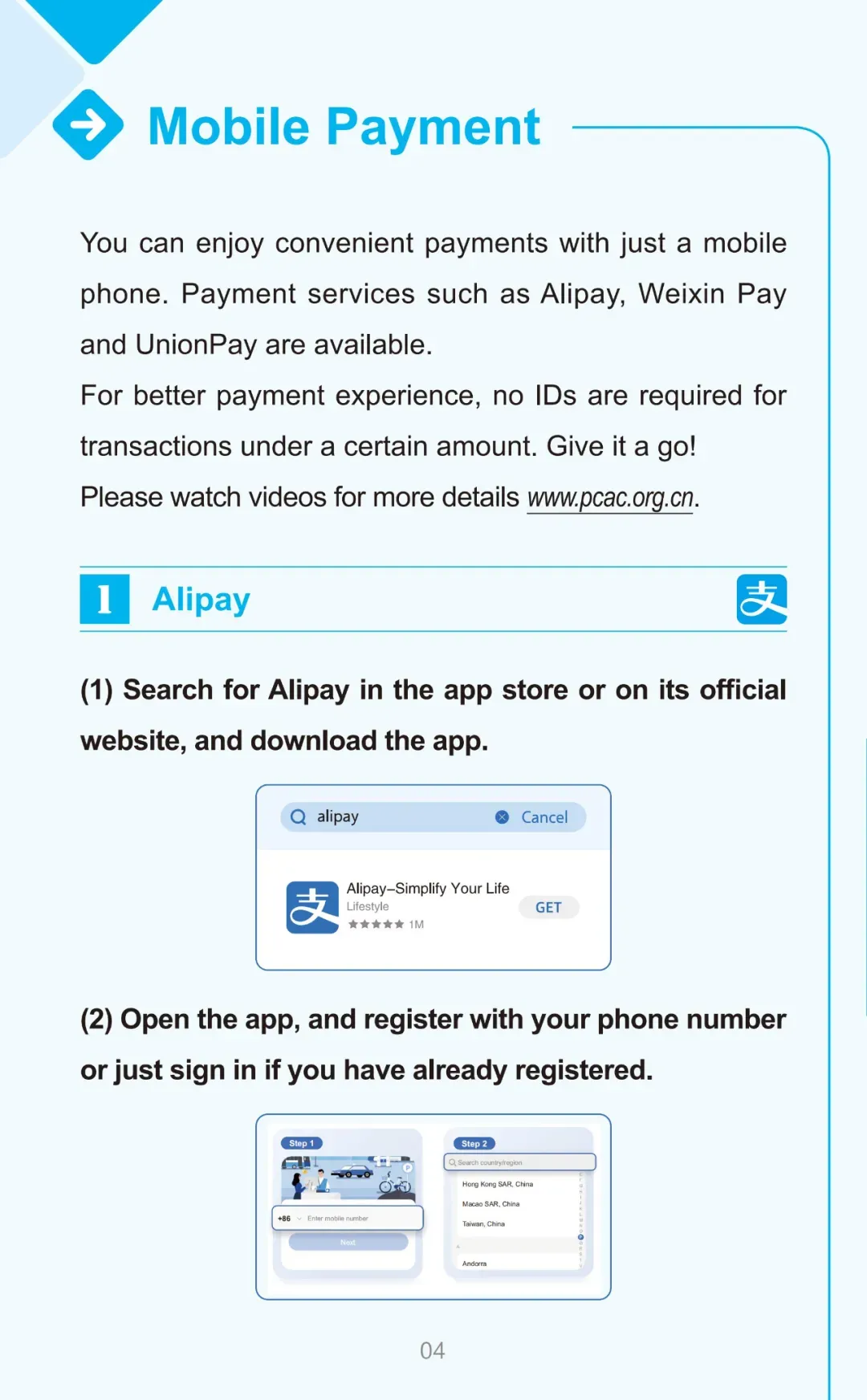
Alipay Step 1

Download Alipay from App Store or Google Play
2
Alipay Step 2

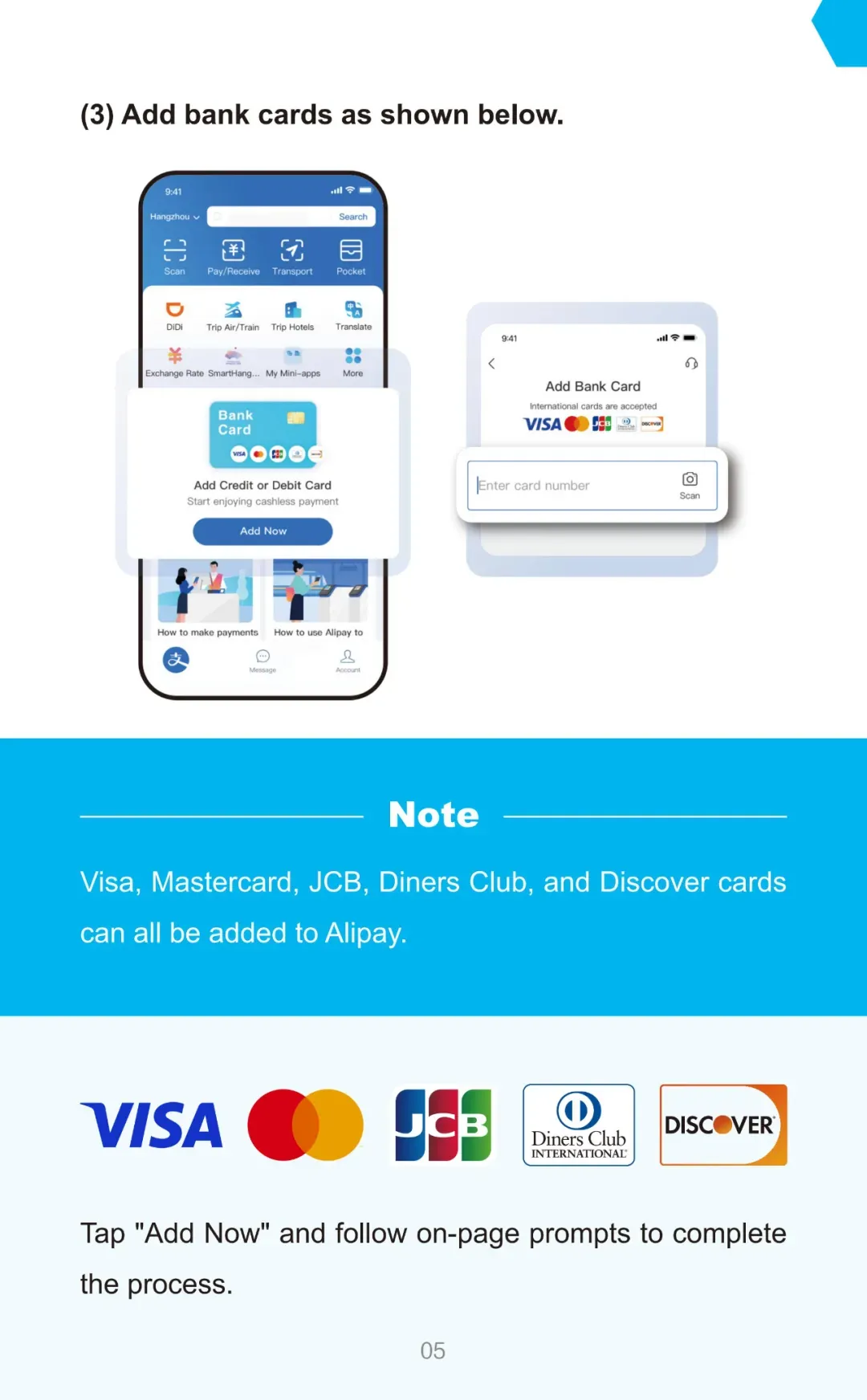
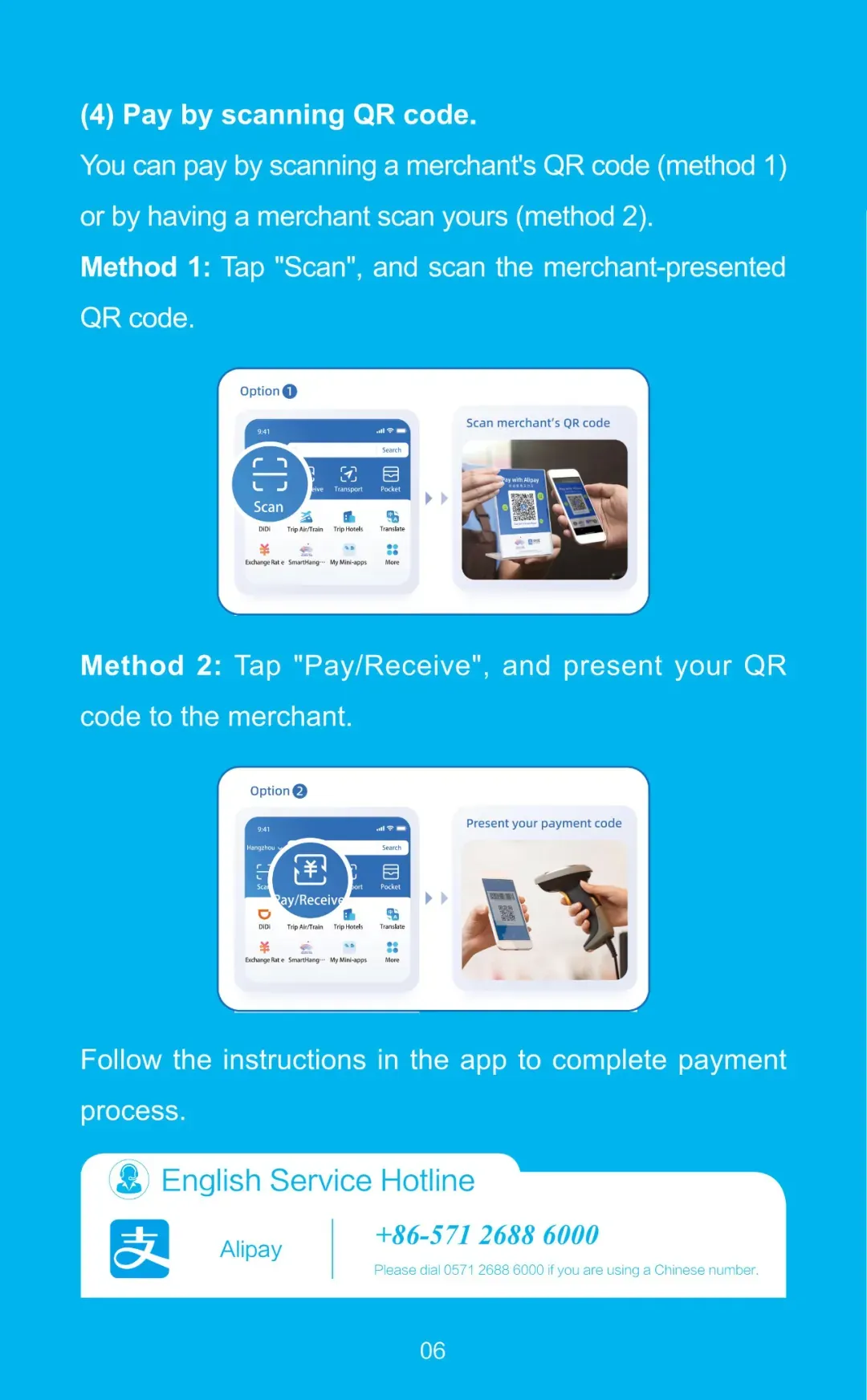
Register with your phone number and add your card
3
Alipay Step 3

Verify identity and start paying

WeChat Pay Setup Guide

1
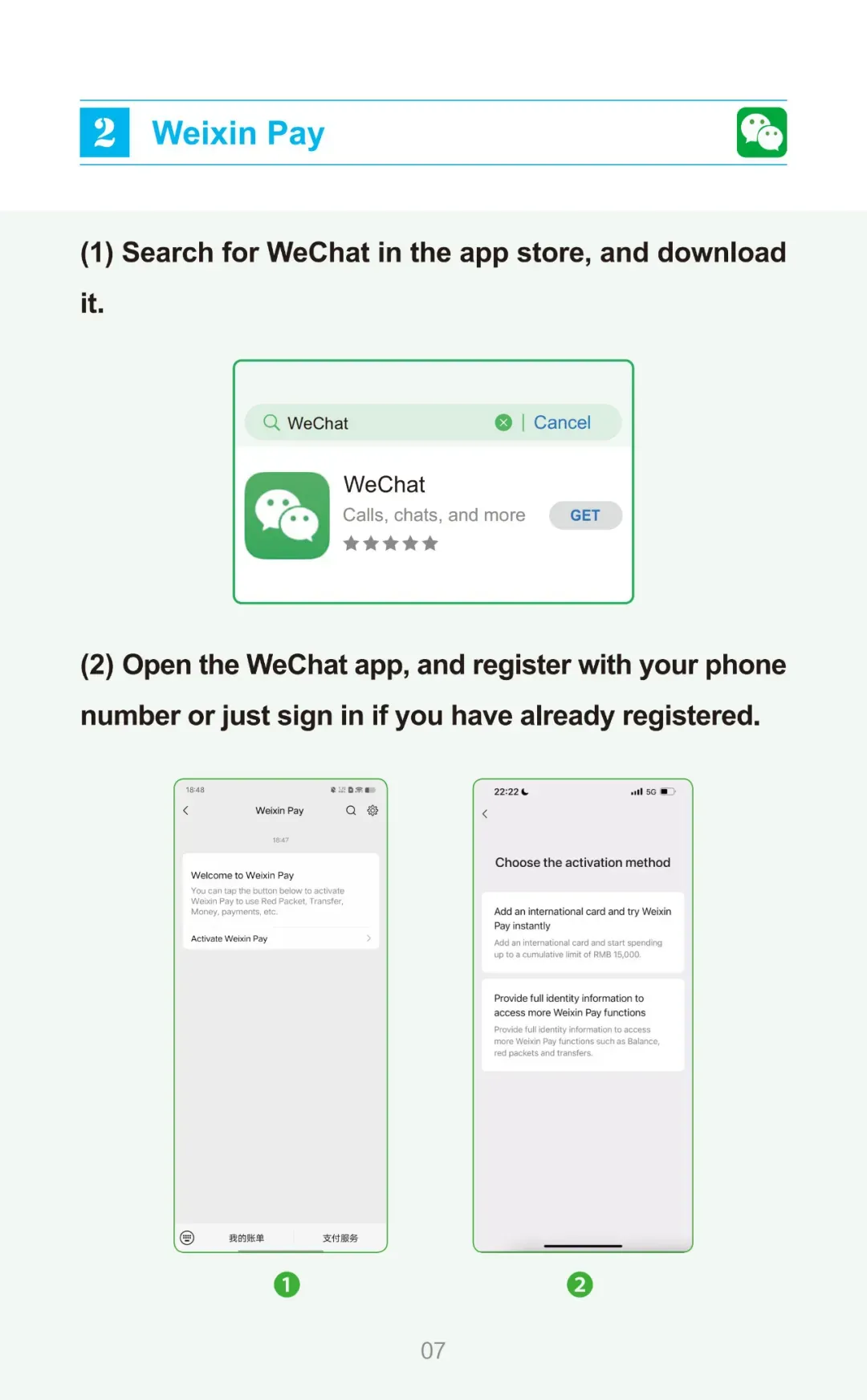
WeChat Pay Step 1

Download WeChat from App Store or Google Play
2
WeChat Pay Step 2

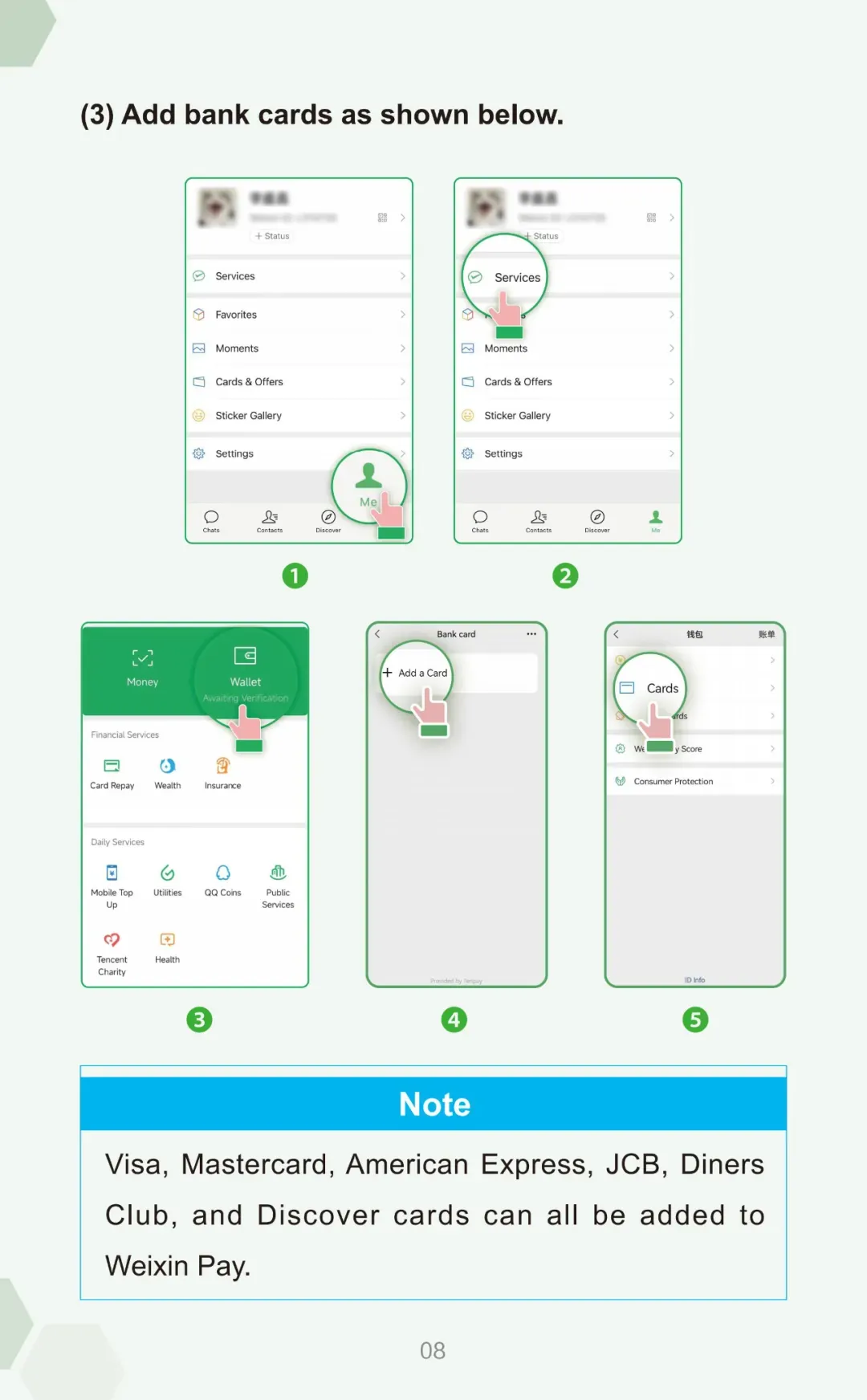
Register and activate WeChat Pay

3
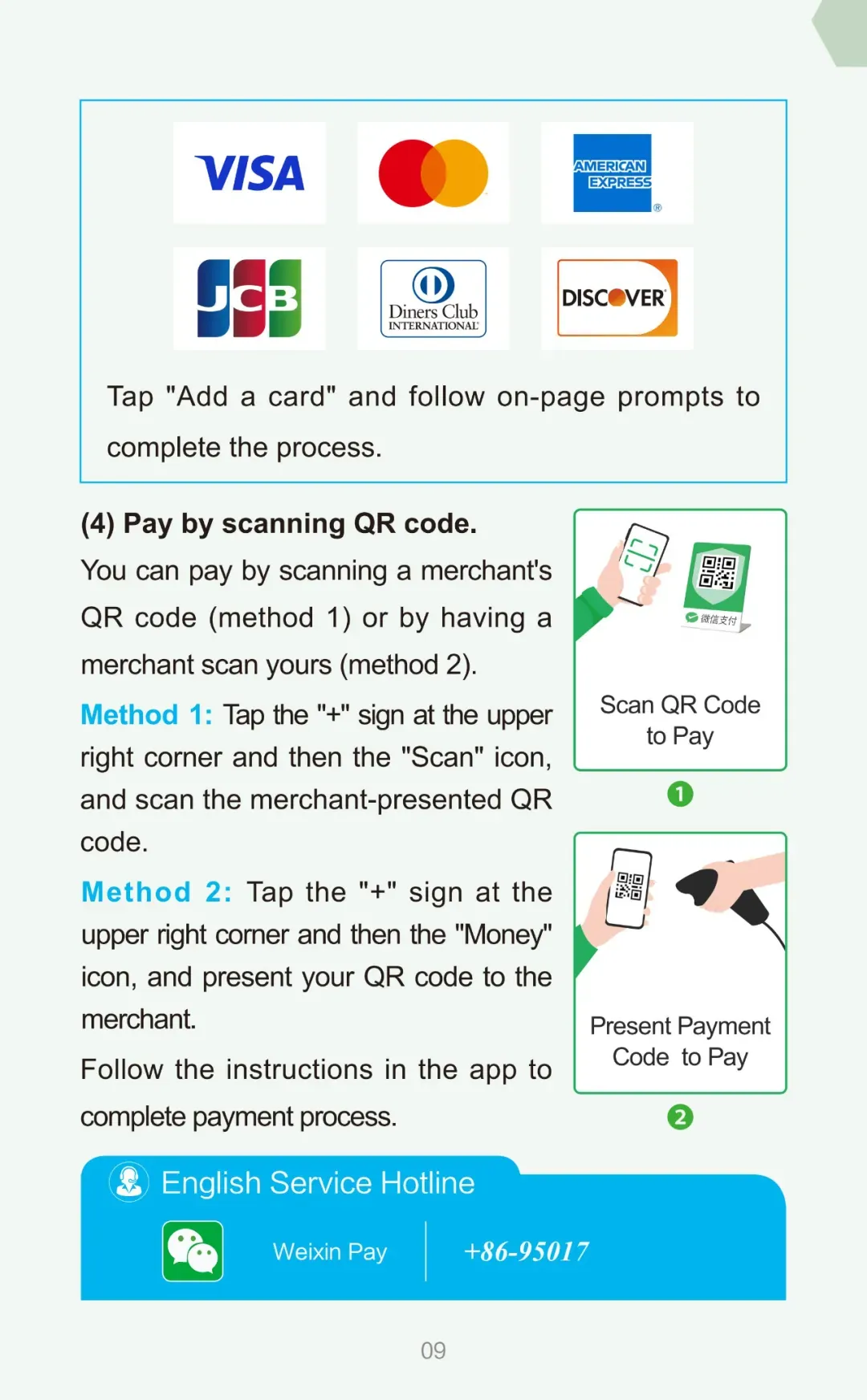
WeChat Pay Step 3

Add your bank card and start using WeChat Pay

VPN Software

Google, WhatsApp, Gmail, Facebook, YouTube are blocked in China. Install a reliable VPN before arriving.


Install VPN before entering China
Subscribe and test the connection beforehand
Download 2-3 backup VPNs in case one fails

Recommended Apps

Shadowrocket
Shadowrocket iOS / Android / Windows / macOS
Clash Meta
Clash Meta iOS / Android / Windows / macOS

Just choose one of the two. Upon your arrival in China, we will provide you with a free proxy node to ensure uninterrupted access.

Chinese SIM Card

Having mobile data in China is essential for using payment apps, maps, and ride-hailing services. You can get a Chinese SIM card at the airport after you arrive.

Available at most international airports after customs
Bring your passport — required for SIM registration
Major carriers: China Mobile, China Unicom, China Telecom
Short-term tourist plans available with plenty of data

More Travel Tips

  • Download Youdao (有道) or Baidu Translate (百度翻译) for translation
  • Install Didi (滴滴) for taxi or Meituan (美团) for food delivery
  • Bring a power adapter — China uses Type A / Type I sockets (220V)